Teams & permissions
Give everyone exactly the access they need
Spreadsheets are all or nothing. Matrify gives you real access control, from whole databases down to individual tables, for people and AI agents alike.
Three layers of control
Start simple and add detail only where you need it.
-
Layer 1
Accounts
Administrators create, edit and disable user accounts centrally. Sign in with a Matrify password, or through LDAP, e.g. Active Directory.
-
Layer 2
Users and roles
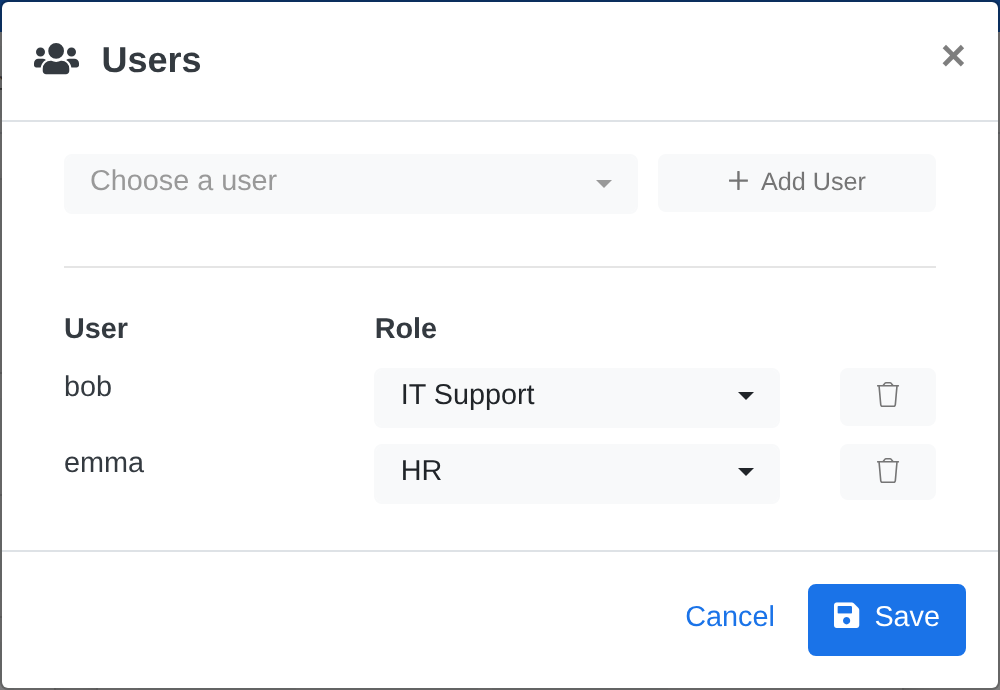
Each database has its own list of users, and every user gets a role. One person can be a manager in one database and a viewer in another.
-
Layer 3
Table permissions
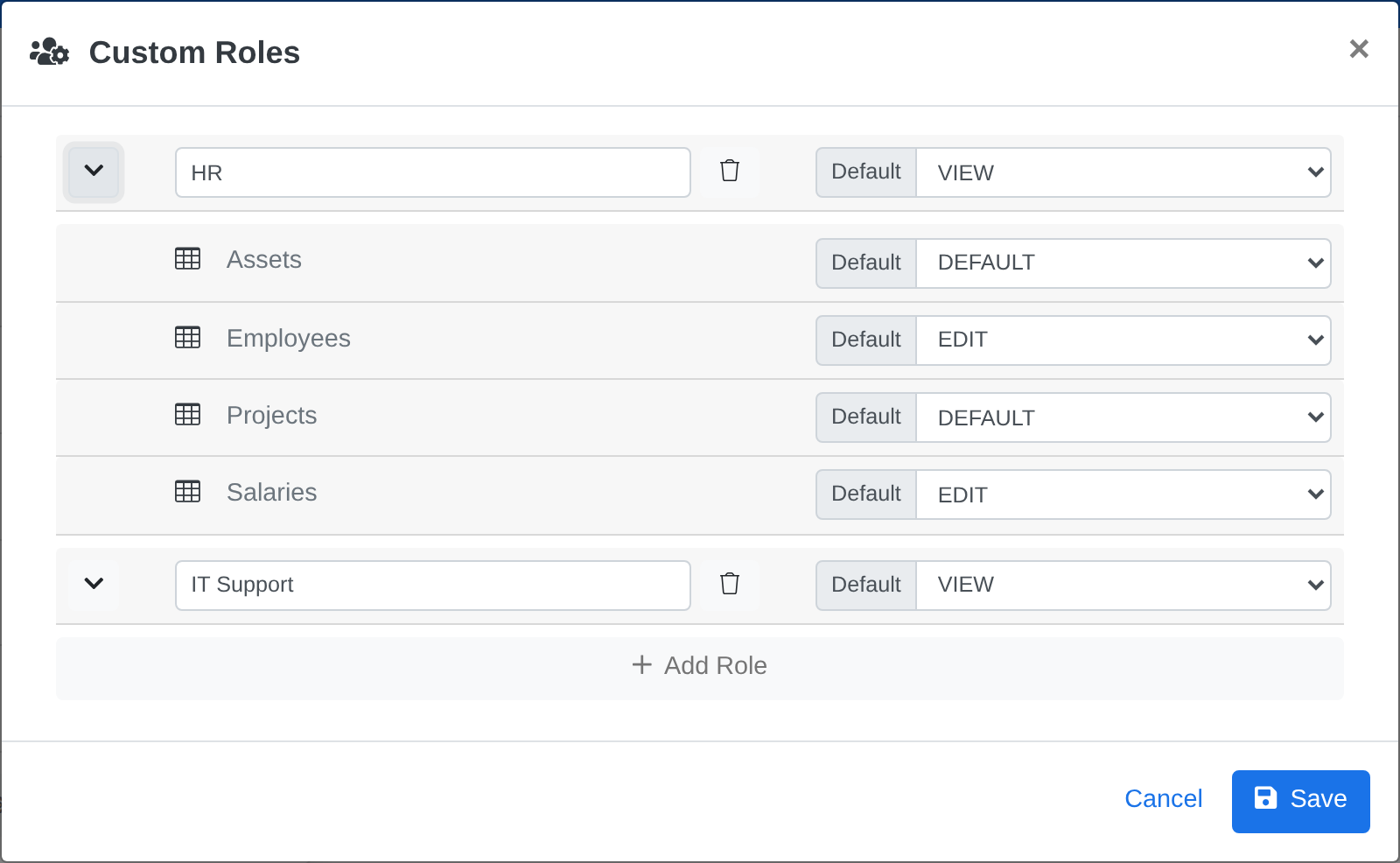
Custom roles set a different permission for each table, so a role can edit one table, only read the next and not see a third at all.
Five clear permission levels
Each level builds on the one before it, so it’s always obvious what someone can do.
| Level | What it allows | View | Add | Edit and delete | Manage |
|---|---|---|---|---|---|
| None | No access. The table stays hidden. | – | – | – | – |
| View | Reads records, columns and filters. | ✓ | – | – | – |
| Contribute | Also adds new records. | ✓ | ✓ | – | – |
| Edit | Also edits and deletes all records. | ✓ | ✓ | ✓ | – |
| Manage | Also changes the structure and manages users and roles. | ✓ | ✓ | ✓ | ✓ |
Custom roles
Roles that match your organization
Create roles such as HR or IT Support and set a default permission, then override it for each table. HR can edit Employees and Salaries while everyone else simply can’t open them.
Users
Assign access in seconds
Add a user to a database and pick a role. Change or remove it at any time, and the new access applies straight away.
-
Enforced on the server
Every request is checked against the user’s role on the server, not just in the interface.
-
The same rules for AI
AI agents and scripts work through the API under a user account, so they get the same roles and limits as your colleagues.
-
Who changed what
Created and Last Modified columns show who created each record and who changed it last, and when.
-
Ready for your directory
Connect your existing LDAP directory, e.g. Active Directory, so people sign in with the credentials they already use. Included with a Matrify license.
Put your team in control of its data
Try Matrify with your team for free, with up to 3 users and 300 records.